

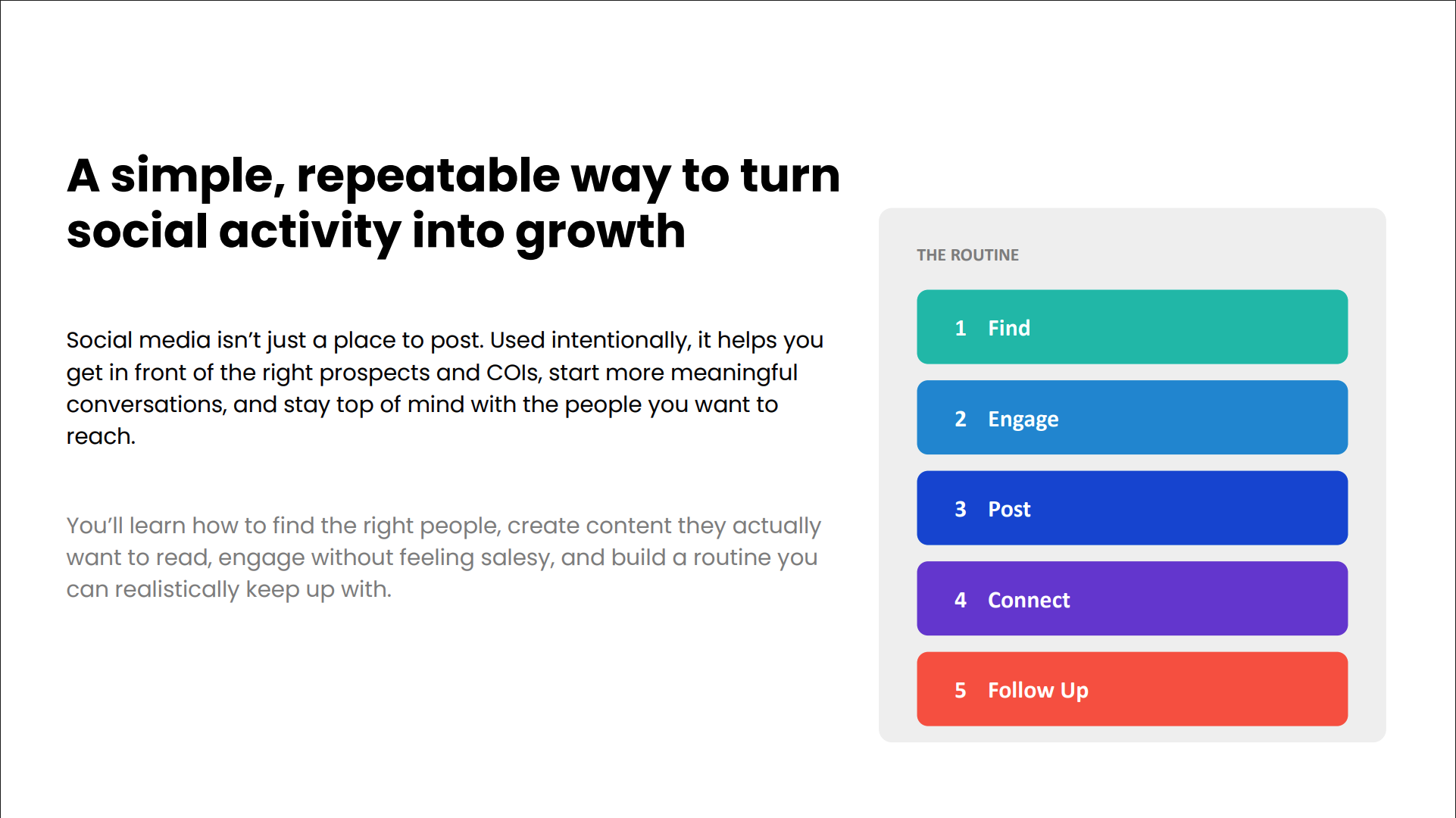
Social media doesn’t have to be a second full-time job. In this month’s Did You Know? workshop, FMG Chief Evangelist Samantha Russell and Amy Galli shared a simple routine that turns 10 to 15 minutes a day into real prospecting momentum: Find, Engage, Post, Connect, Follow Up.
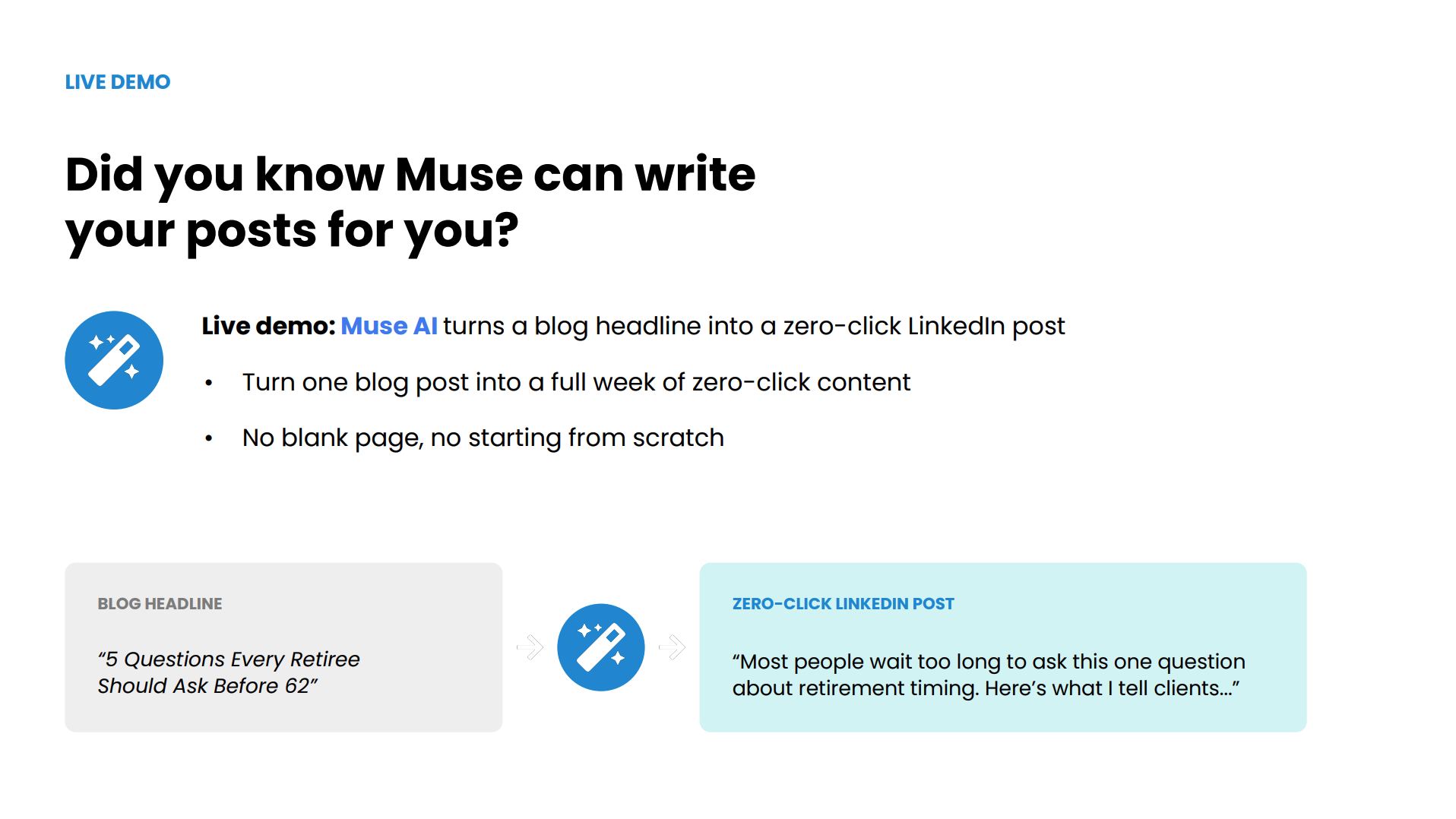
The big idea is to flip the order. Engage with the right people first, then let your scheduled posts do the broadcasting. You’ll also see a live demo of Muse turning a blog headline into a zero-click LinkedIn post, plus how FMG’s Marketing Schedule, Social Sequences, and Do It For Me keep your calendar full without the weekly scramble.
Browse the slides we reviewed during this workshop below.
Samantha Russell: Good afternoon, everyone, and thank you so much for joining us. You have some new faces here for today’s Did You Know? I’m Samantha Russell, our Chief Evangelist here at FMG, and joining me is Amy Galli. Hi, Amy!
Amy Galli: Hi! Hi, everyone! So excited to have you join us today. I am head of customer marketing and Growth here at FMG, and we are super excited to be talking to you. I know that you’re used to seeing Elise here, and many of you who come regularly to these monthly calls know that Elise is on maternity leave right now. She just had a baby girl, and I have not gotten a name yet. Actually, she didn’t know if it was a boy or a girl, so they were still picking out names, but Elise will be back in a few months. In between then, you will get Sam or I, or some other leaders at FMG to come on and speak.
Samantha Russell: Yeah, so if you have any well wishes for her, we will send them along. I know she loves doing these and getting to interact with all of you, and we miss her, but Amy and I are patiently waiting for more baby pictures. So, we would love to hear… I’m joining from Central Pennsylvania, if we have any Nittany Lion fans out there, and we’d love to hear where you’re joining from and who you’re cheering for this football season, because I know there’s a lot of sports fans out there. Also, maybe if you have a favorite fall drink, I’m sipping on some tea, because it finally feels like fall is here in Pennsylvania, Amy. I don’t know about where you are.
Amy Galli: No, I am in San Diego, and it has been a heat wave here. We are all in 103-degree weather. But my daughter’s 12 years old, and if any of you also have a 12-year-old, she loves Starbucks, and so she is so excited today to be the first day of fall and get in there for those pumpkin spice drinks, so we’ll be testing those out.
Samantha Russell: Oh, amazing. Well, we have some Iowa Hawkeyes fans, Seattle Seahawks, Pittsburgh Steelers. Our CMO is going to see them play in Paris, which is really exciting. Atlanta, Georgia… oh, whiskey is the drink of choice. That’s a good fall drink. My late husband turned me on to a very easy-drinking bourbon on the rocks in the fall, and with a little cider mixed in, that’s a great drink, too. Greg said his 20-year-old daughter loves her pumpkin spice latte. She’s not the only one, Greg. Well, keep the comments and the interaction coming. I’m gonna go ahead and start sharing. Give me one second here. Okay, can we see that, Amy?
Amy Galli: Yep.
Samantha Russell: Let’s put it into full slide mode. Okay, so today we’re talking for our Did You Know about the 10-Minute Social Growth Routine, which is a topic near and dear to my heart. Social media—you know, some people love it, some people hate it. I happen to love it, and I’ve seen it do wonders for how it can grow not only businesses I’ve been a part of, but helping advisors with their business. But we also know that it’s not your number one job, and so we want to give you some quick-start things that can give you a tremendous amount of ROI with the least amount of effort. So, in the name of all this fun interaction, we just wanted to remind you that you can win some FMG swag. If you stick around and you’re interactive as we see people commenting or sharing information, Amy and I will choose 3 of you to give some things away.
Amy Galli: There’s always some fun stuff, from hats to tumblers to all sorts of things, so feel free to chat us up, and we love giving away swag.
Samantha Russell: Yes, I actually need a new FMG coffee mug. Mine was stolen by one of my children, I believe.
Amy Galli: Well, I know someone, and I think I could get you one.
Samantha Russell: I would love it! I would love it. I have my Mamacita mug, but that’s not as exciting. Okay. So, we’ve already introduced ourselves, but I just want to share with you that if we’re not already connected on LinkedIn, I’d love to connect with you there. I try to share tips every week that will really help you move the needle with your own business, so feel free to connect with me. Amy decided to join me at the last minute, so we don’t have a slide for you.
Amy Galli: Oh, I know, sweet, but that’s okay. You can still find me on LinkedIn.
Samantha Russell: Right. And just some housekeeping, because the number one thing we always get asked is, “Will you send the recording and the slides?” Absolutely. We will send all of that, as well as a handout that compiles all the great information we’re sharing. So, if you want to log into your account and follow along as we’re doing it, that might make things easier, too, because Amy’s going to demo a few things, so feel free to do that. You can also minimize that chat box or maximize it, depending on how much you want to see. And just a reminder that in August, Elise did a Did You Know all about referrals and testimonials, and we’re so excited to see so many of you being able to take advantage of this as broker-dealers start to approve them. If you haven’t checked that out or if you’re wondering if your broker-dealer approved it, you can connect with us and we can let you know whether or not that’s the case. You can watch the replay in the FMG Resource Library on our website or on YouTube.
Alright, so this is the 10-Minute Social Growth Routine, and we’re just gonna dive right in. We want to think about how we expand your network and leverage your interactions on social media to actually drive business growth. Social media forever has been what we call a top-of-the-funnel digital marketing activity, right? It’s not where you’re usually converting people. That happens usually either on your website, on a call, or in a long-form blog post that demonstrates your expertise. Social media is more top of the funnel, so you’re getting eyeballs and awareness on your business, and that is the purpose. But what a lot of businesses and brands forget is that the word social is in social media. The whole point is not to just be a microphone shouting off, “Samantha Russell Wealth Management is amazing,” it’s to make connections with other people. A lot of times we forget that—we just schedule out a bunch of posts on autopilot, and then we don’t do the other things that keep it a social platform. So we want to show you how that works today. As we’re doing this, it would be really helpful to know: could you tell us in the chat what social platforms you are using most, or most want to leverage in the future? Is it LinkedIn? Is it Facebook? Is it Instagram?
Amy Galli: We’re getting a lot of responses. They’re mostly LinkedIn, but I’m seeing more Instagram than I’ve ever seen before, so people are starting to use that. If you haven’t connected with FMG, we do have a new Instagram FMG account where we’re sharing some really cool stuff, too, so you should follow us there.
Samantha Russell: Yes, 100%. Stefan just said TikTok. I know it’s not approved yet.
Amy Galli: That’s the first time I’ve seen that one, yes.
Samantha Russell: Finding the right people to connect with, and then engaging with them—notice that that happens before posting. I would make a bet that if I asked how many of you are regularly going into these social platforms and leaving comments and engaging with other people, a lot fewer hands would go up than if I asked how many of you are posting content, right? Most people start by posting before doing any of the other things, but the finding and the engaging should be happening first.
A really simple tactic that I teach all the time is every Friday to go back and look at who you met with, who was on your calendar, and who you emailed with, and send them a LinkedIn request. With LinkedIn, you can type in their first and last name—it’s not like Instagram or Facebook, where people have weird usernames and are hard to find. You can just type in their name or even their email address and find them. So don’t just put in prospect meetings: put in your clients, children of clients who attended a meeting, an estate planning attorney, or an admin. The advisors who do this by the end of the year have thousands more connections on LinkedIn than those who don’t. Remember, the goal is not to just get more connections or followers, but the larger your audience, the more eyeballs on your posts. We call this the Friday Calendar Connection Routine. It’s a great thing to add, or even outsource very easily to an admin or someone on your team.
Amy Galli: Sam, we got a question about the difference between a LinkedIn company page and a personal page—like where should you be asking for those connections from?
Samantha Russell: Great question. Your LinkedIn personal page is always going to perform better than the company page. So, I would ask for those connections where possible by advisor. The advisor should also be sharing the company page so the people they’re connected with will see that as well. Think of the company page as more of your index page on the internet, especially in this new world of AI. AI will scan company pages to find information, get feedback, look at reviews, and check product updates, so you want to keep that company page up to date because it really helps from a search perspective. But the personal page is really where you want to build the most connections.
Every Friday, you’re just gonna type in the search box the name of the person, and then click connect to send them a request. A tip that a lot of people don’t realize is that anybody I just connected with is going to see my content almost right away. The algorithm wants to know, “They just connected, should we show that person their content?” It goes two ways. If neither of us likes or comments on those posts very quickly, it will stop showing content to each other. But if one of us likes or comments on either of the other’s posts, it creates a thread between the two of us, and it will continue showing each other that content. So those first 24 hours are crucial. A little hack: if there’s a particular prospect group you really want to get and you have a great blog going out, wait until the day before the blog goes out, send connection requests to a bunch of business owners in your town, and then post the social link to the blog. Now those business owners are much more likely to see that blog post.
Amy Galli: I love that hack. When I connect with people, do I need to write a personal note to them, or do you just send a connection?
Samantha Russell: I typically don’t—I just send it. If you have a great page with a good banner (you can use Canva to make these banners) and a good headline that explains what you do, you don’t always need one. The only time I would send a note is if it’s somebody I don’t know that well, like a business owner from a local Chamber of Commerce meeting. But if you don’t know what to say and just want them to start seeing your content, you can send a connection request without overthinking it, and a lot of times people will accept.
The next part is actually posting. A lot of people get really hellbent on making sure every post is perfect, and then it prevents them from posting. Instead, remember: it’s all about consistency. The algorithms reward consistency. In FMG, we actually have a tool where you can see any gaps on your schedule. Our Social Foundations tool in FMG will allow you to make sure you are being consistent.
You can start with the Content Library. On a platform like LinkedIn, I suggest posting two to three times a week. On Instagram, even once a week can be good. I would always suggest quality over quantity. We also have a tool called Muse that will allow you to write your content using AI to help you, while still making it sound like you.
Amy Galli: Can you see my screen, Sam?
Samantha Russell: Yeah. Up at the top, you have the Marketing Schedule. You have blue, green, and purple circles. All those blue dots are social posts. You can easily see holes, and click the “Add Content” button to choose a piece from the Content Library. Now, Amy, why don’t we show the Muse tool?
Amy Galli: Great. In the social tab, it says “post on social.” So this is where you’re gonna create that original post using AI. So I’m gonna use this button over here, “Write with AI,” and I’m gonna choose which platform it’s gonna go to. So it’s gonna go to my LinkedIn. And September is College Savings Month, so let’s do “Write on College Savings Month.” It allows you to pick your writing style, so in here you can see there’s a little description of each one. I’m gonna say that I am the “trusted confidant,” and it will use that as the tone for the social post. I can choose how long it is, and then I can choose how much I love emojis. So emojis, and generate here.
Okay, so I got my post, and on the right over here, it says it’s checking for compliance. So what it’s doing is looking for anything promissory, so this is what’s different about AI through FMG versus going directly to a chat or something like that, because it has the guardrails built in. So it’s looking for that promissory language or things that compliance would pick out and reject, so this AI is trained for financial advisors. So, I got a really short social post. I might say here I want to make it a little longer…
Samantha Russell: What I love about this is if you find something in the Content Library, you can copy it into Muse and say, “Now adjust it so that it applies to business owners in Omaha,” something like that. So this makes it where you can take any of the pieces we’ve already written and really personalize them. Shawn also gave a great idea to add personal pictures. Those are the posts that get the most engagement because it’s social media. It’s no different than showing a picture of your family at a networking event.
Amy Galli: Shawn, drop your address in the Q&A so we can send you some swag! In just a few minutes, I got a really nice social post here for LinkedIn.
Samantha Russell: Having what I call the “meat and potatoes” directly in the post is called zero-click content, where someone doesn’t have to click away to read something before responding. Comments are the currency of social media—the more comments you get, the more the algorithm shows your posts to others. So if you want a lot more people to become aware of your business, you want more people to see your posts. So that’s why comments are so important. So, you could put something in here, like make the post all about the pitfalls, mistakes parents normally make when saving for college. People love to hear what not to do. Or “what’s something you wish you would have done differently when saving for your kid’s college?” Put a picture of you and your child when they’re at graduation. Anything like that really goes a long way. So this is how FMG makes it so easy to first see what your calendar is, and then second, to really personalize the post. I hope most of you know how to go in and choose content from the library, but this really allows you, in just seconds, to build out pieces that are specific to your audience and in your voice.
Amy Galli: Yeah, so here’s the library, and I could just come in here and see what was already created. There’s different social posts here that I can pick from, and if you find something you like 80% of the way, you can go in and edit it, and it’ll just route through compliance like if you’ve just written it. So, I mean, it’s super easy.
Samantha Russell: Dora asked, “so if we write through Muse, we don’t have to submit through compliance?” No, it still submits through compliance.
Amy Galli: You just click “next,” and it goes up to your compliance queue. As soon as they approve it, it goes out. So it’s really just walking through the steps of submitting it, and you don’t have to do anything once it’s sent.
Samantha Russell: That schedule post feature is great for scheduling a whole month at a time. Let’s give Dora swag as well!
Amy Galli: In the Q&A, there you go.
Samantha Russell: That’s awesome. Okay, so if you want to maybe just go back into the content library, I want to just show one other thing. For someone who’s asking about “do we have to do everything one by one?”, let’s just remind people that there are automations where you can schedule multiple things out in what we call a Social Sequence around different topics or things like that, so that you’re not one-by-one choosing the post. So if you do want to take something from the library, you don’t want to make a bunch of edits, and you just want to schedule out a couple at a time, you can do it that way with our social sequences.
Amy Galli: In a Social Sequence, everything is scheduled out for you. And again, same thing works here—that you can change any of these images that you want, or any of the content, or change the time in between. So these are totally customizable.
Samantha Russell: So what I like these for is: what we find works really well with content is to have a theme, right? So if we know for October it’s college savings, you have every month a tip that you share about college savings, and you go deep on it. So somebody asked, “can we create our own social sequences?” Yes, you could just come in here, take any one of these, and then make it your own. And that’s a really great way, again, to build a bunch all at once in advance. Steve Watkins asked, “can we make a reusable social sequence from our own content?” Yes, you can! So just pick one of these, and you can delete it and put in your own pictures, your own links, anything like that. This is one of my favorite features that I don’t think enough people know about, so hopefully this is new to some of you, and you can start using it.
Amy Galli: And just one more thing: if you’re looking for just some basic “I just want to make sure things are going out regularly,” if you have premium marketing, one of the automations is Social Foundations. So it’ll just be some basic things to keep your calendar full, like that’s actually what was in my marketing scheduler up here—all these things were just kind of the regular social things that will be going out on my behalf.
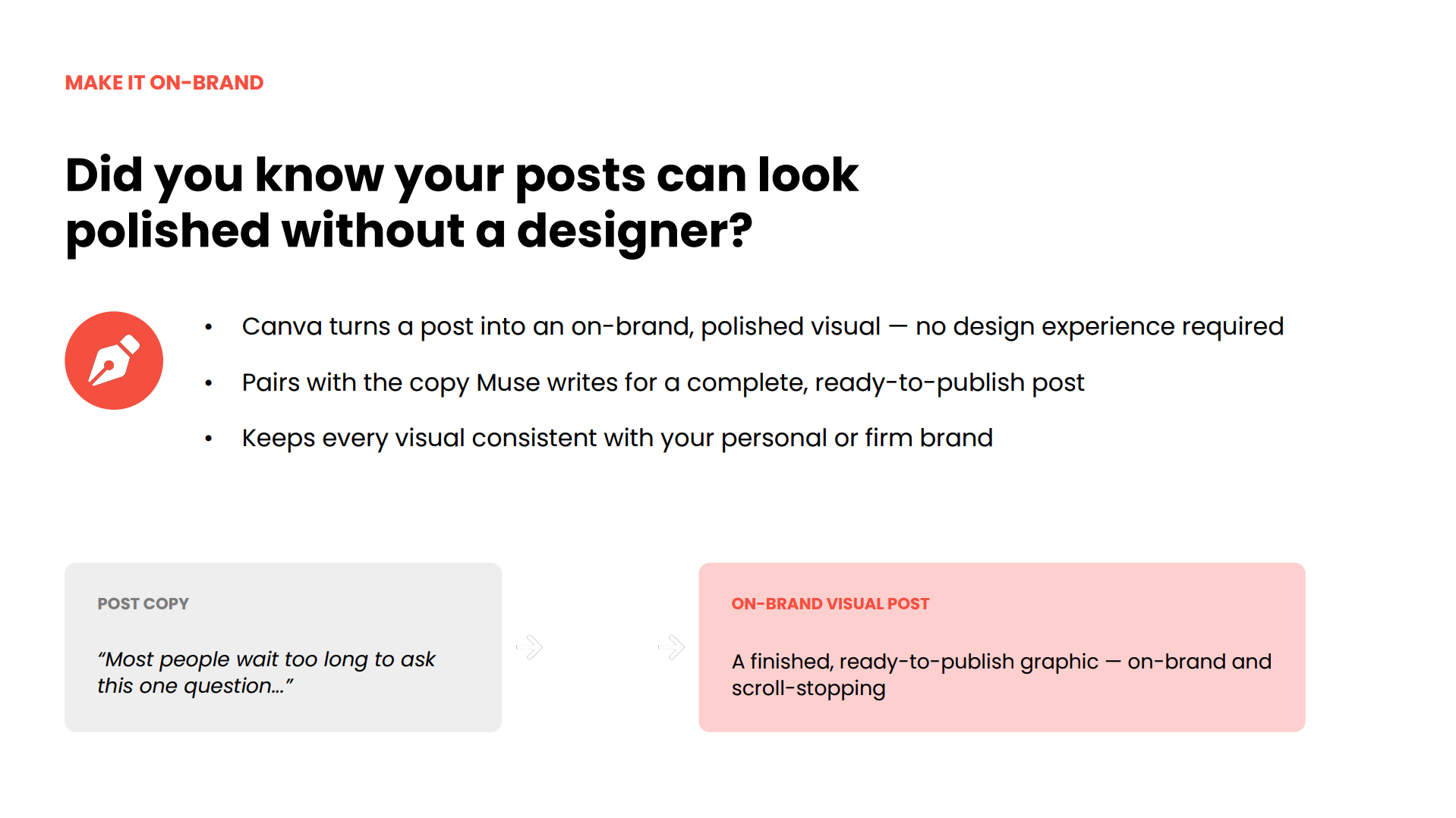
Samantha Russell: Amazing. And some people are asking, “could they upload their own images?” Yes, you can upload any of your own images—directly from Canva, directly from your photo uploads, you can put in any images. And the more you personalize images, if you think about what catches people’s eyes when they’re on social media, it’s personal images that stand out when you’re scrolling through the feed, right? Stock images are great, but they look very branded, they look corporate. But when somebody all of a sudden has pictures from an event or something they did, just a personal photo, those are the ones that get the comments, that get the engagement, big time. So, if you just tweak those little things, you will notice a huge difference. One other little tip I want to give: we suggest you schedule this all in FMG, but then, if you could spend just 5 minutes in the morning doing what I’m doing right now—you go through your feed, choose 5 posts, and leave comments on those posts before your post from FMG gets published, you will also start to notice a really big spike in the number of comments and impressions your posts are getting. And that’s because of what we call “priming the algorithm.” Basically, what the algorithm wants to see is, before it starts showing everybody your content, it wants to see: are you engaged? So, one of my tips: let’s say I want to go start doing marketing in the United Kingdom, and so I know Alan, who’s there, and he’s a huge advisor there, and I want to maybe connect or network with him. So I could go look at a recent post he’s had and leave a comment on it. Then before my post goes up, I do this, and then the likelihood he sees my posts goes way up. You can do this with people you’re not even connected to—it can be second-degree connections. So this is just a really good way, again, to prime the algorithm. It works on Facebook, it works on Instagram, it’s not just for LinkedIn.
Amy Galli: How often do you suggest reposting company LinkedIn content on your personal page so it doesn’t get repetitive?
Samantha Russell: I would say no more than once a week. I wouldn’t just have both pages be duplicates of each other. Try to remember that the business page is serving one purpose, and your personal page is serving another. So if you’re going to post a picture of your family and what you did on vacation and how it tied to a financial lesson, I wouldn’t post that on the company page. And then maybe on the company page you share some research report or stat, and you don’t have to share that on your personal. So have each one serve its own purpose.
Amy Galli: Becky asked a question about if she can post on behalf of her advisors. Yes! There is a delegate user role within FMG so you can post on behalf of advisors in your office.
Samantha Russell: Amazing. So, we talked about the calendar feature, we talked about Muse, we talked about the automations and the sequences. One other thing that we want to make sure that you are aware of: for some people, they’re like, “Amy, Sam, I don’t have time to log in every month and choose these posts and figure out which ones to do, and how to make them special to my audience.” That is why they say, “can you just do it for me?” And so, Susan, our CMO, and I a few years ago got together and thought, “we should create a program where we just do it for them.” And so that is why we launched the Do It For Me program within FMG. It’s our highest level service. You are paired with a concierge every month, and what you just saw Amy going in there and doing, we take care of that for you. So every month, we send you an editorial calendar saying: here’s the social posts that are going to go out, here’s the emails that are gonna go out. “Oh, you’re specifically focused on business owners in Cleveland? Here’s the content around business owners we have for the month.” As new contacts come in, we add them to your different lists. And Amy, we just got some crazy good data about how many more contacts people in the Do It For Me program have, right?
Amy Galli: Over 12 months, DIFM users added 22% more contacts than people that were not in the program. And it is just that regular, consistent thing. And Sam had mentioned how great personal photos work on these—you can send your personal photo in and just say, “hey, can you adjust this?” So you get the editorial calendar, but your concierge will work with you so that it will be your dog that is on that National Puppy Day post or whatever it may be, so they will help you personalize and add those photos and things that really drive engagement.
Samantha Russell: The proof is in the pudding. Michael just said, “we’ve been on DIFM for over a year, loving it, not paid to say this.” Let’s send Michael some swag, too! Michael, send us your address, we’ll send you something. All I will say is this: obviously FMG is an amazing tool, and it will power your marketing, but if you’re thinking, “yes, I want all this amazing awesomeness, but I want someone else to just do it for me,” that is why we created Do It For Me. So, if people are interested in learning more about the Do It For Me program, you can answer that poll, and we can reach out to you if you are interested in learning more and want us to explain how it works, what exactly is included, and how we would send those emails, get those posts on your website, and choose those types of posts for you.
Amy Galli: Claire just said, “learning so much through my concierge on DIFM.”
Samantha Russell: You know what? That’s a really good point, Claire. Thank you for bringing that up. When you have these meetings every month, they’re not just like, “okay, this is what we’re doing.” They explain it to you, so over time, you really start to understand the why behind all of these marketing choices, which really, really goes a long way.
Amy Galli: Edwin would like you to be his concierge.
Samantha Russell: I love it! I love it! Thank you so much, that is so sweet. Edwin, my children will kill me if I take on any more work. I’m working from the soccer field every night, but I wish I could. Definitely connect with me on LinkedIn, and you’ll get a ton of other info, but all of our concierges meet with me and Amy and Susan and our team, and we all are constantly exchanging ideas and training, and you are in good hands.
Getting more followers—is that the goal? Amy? No.
Amy Galli: Is it a trick question? I don’t know what the answer is.
Samantha Russell: So, the whole idea is not just to get more and more people. Of course, you want to build your network, but if you’re getting connections with a bunch of people in Japan that you can never serve, that’s really not going to help you all that much, unless some of those people happen to be connected with someone who’s actually a U.S. citizen who happens to be over there on a business trip. But the goal is to have a clear ICP. Who do you specifically want to target, and how are you going to get in front of them and get their attention? I always like to say: if you look at the content that I’m posting, there’s gonna be a personal photo that’s gonna help you feel like you get to know me or understand my family, but then at the bottom, I’m talking all about testimonials and why testimonials are so important and a product we have at FMG called FMG Testimonials. So I’m sharing a personal story and photo, but then tying it back to business. Whereas here, I’m just promoting a webinar; here, I’m sharing data. So you want to have some posts that promote a webinar or talk about a part of your services, others that just build connection and get people to want to leave comments, and then the third is demonstrating your expertise, showing somebody who’s landing on your page for the first time why they should trust and believe in you. That’s the mix that we want.
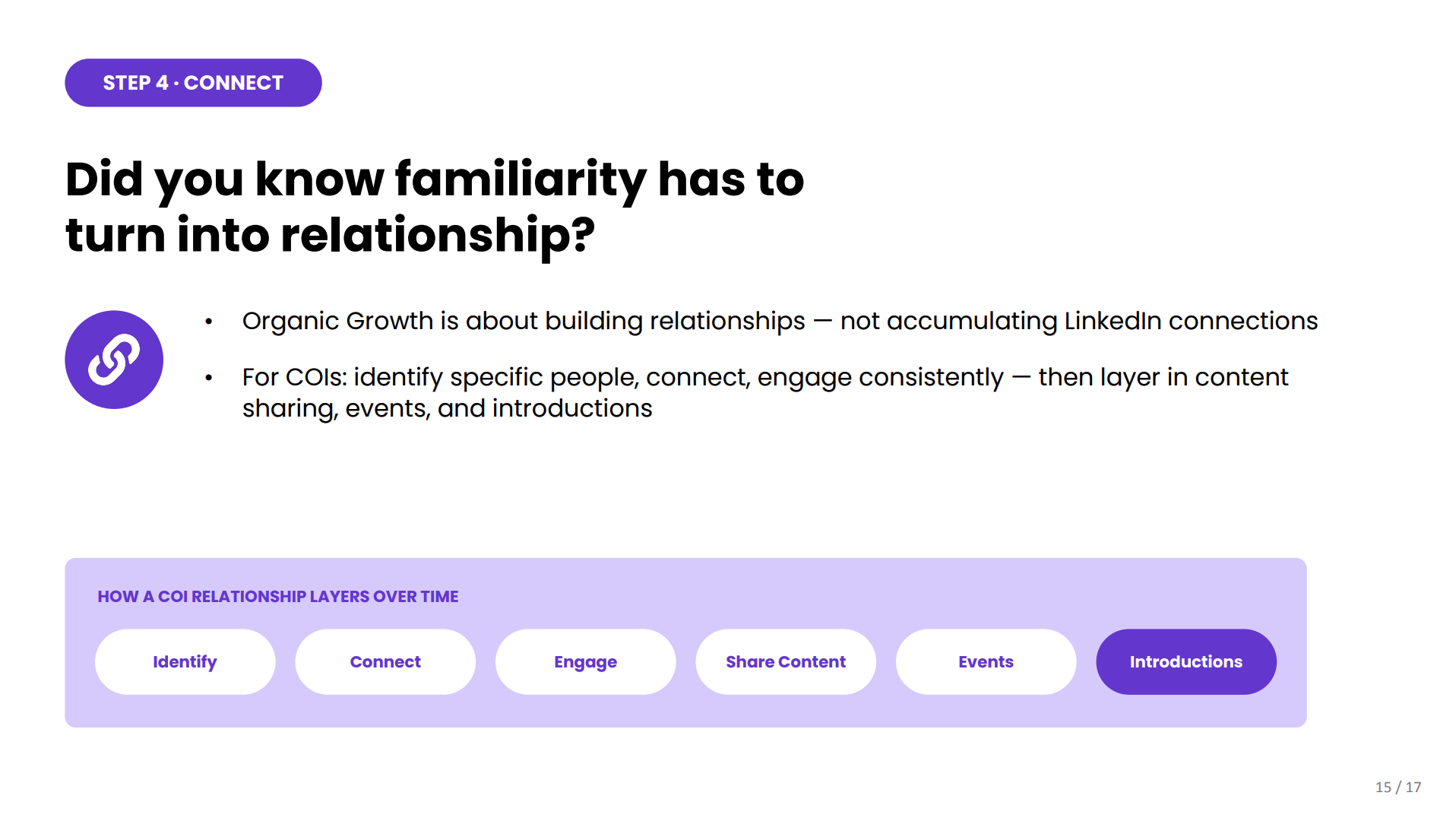
Please define ICP and COI. ICP is your Ideal Client or Customer Persona. Who do you specifically want to work with? Is it small business owners that want to exit in 5 years in Omaha, or people between 45 and 65 that have $2 million plus in assets looking for an advisor to help them make a retirement plan? So you really want to be clear about that. And then COI is a Center of Influence. That would be anybody that can influence how someone finds an advisor. So, if you are trying to target physicians, a center of influence could be the resident director at a medical program, versus for other people it might be a CPA. So, it just depends.
Amy Galli: And I see a burning question there: “How did you get a family photo at Trevi Fountain without all the people?” We all want to know!
Samantha Russell: That is so funny and hilarious that you asked that. Actually, there was somebody right there, and if you go to your phone—if you have the iPhone 16 or higher—there’s something called the “Clean Up” feature. When you scroll up to edit a photo, there’s a little button that says Clean Up, and you can tap the outline of any figure, and then hit clean up, and it will make it disappear. And I love that feature. So that’s how I did it. You caught me! You caught me!
I wish we had more time. I know this is not normally how Elise does it, so I’m sorry, everybody. We’re maybe a little bit more all over the place, but hopefully you found this helpful. You’re still gonna get all of these great resources, and I hope that going into the platform still really helped you get a lot of info. Our team also put together this 10-Minute Social Growth Checklist, so even the things we didn’t get a chance to talk about today, you’re gonna get this checklist, and you’ll be able to go through it and power your marketing and your social, or you can just hire our team to do it for you, and you won’t have to worry about it.
Thank you, Amy, for joining me and doing the demo, and we will tell Elise that you all said hi and congratulations. Hopefully you all got something good out of it.
Amy Galli: Thanks, Sam! Thanks to everyone for joining!
Samantha Russell: Yep, thanks everybody! Bye!
Book some time to chat or call us at 858-251-2400.


