
Why Most Advisors Never Hit Record
You know you should be doing video. You’ve maybe even bought the ring light. But the microphone hasn’t arrived yet. You’re still figuring out the framing. Compliance hasn’t approved the script. And honestly? Talking to a camera just feels weird.
So the video never gets made.
Here’s what nobody tells you: the advisors who succeed with video aren’t the ones with the best equipment. They’re the ones who started before they felt ready.
In our recent Get Confident on Camera and Turn Engagement Into Growth webinar, FMG Suite® Chief Evangelist Samantha Russell turned the session into a hands-on workshop. She walked through exactly how she sets up, records, edits and promotes her own videos. Below is the full playbook, from the phone settings that make your footage look professional to the one step most advisors skip that costs them their AI search visibility.
Why Does Video Matter So Much for Financial Advisors Right Now?
Search has changed. SEO was about ranking on Google. AEO (answer engine optimization) is about showing up wherever someone asks a question, whether that’s ChatGPT, Gemini, Copilot or Siri.
Video plays a big part in that shift. Across the major AI tools, YouTube is one of the top sources cited in AI search answers. Even short, vertical YouTube Shorts can be pulled in to support your AI visibility.
There’s a trust factor, too. As AI-generated content and AI avatars flood every feed, people are looking harder for real human beings.
“People want to hear from real human beings, and that becomes more important than ever in building trust,” said Samantha Russell.
For advisors, video is the fastest way to let prospects see your face, hear your voice and get a feel for how you explain things, long before the first meeting.
Step 1: Set Up Your Shot With What You Already Have
The biggest obstacle to video isn’t equipment. It’s waiting for the perfect equipment.
“I have advisors saying, I’m still trying to get the framing right, I’m waiting for my lighting to arrive, I need a better microphone, and they just keep pushing off recording the video,” said Samantha Russell.
Here’s how to get a professional-looking shot with what’s already in your pocket.
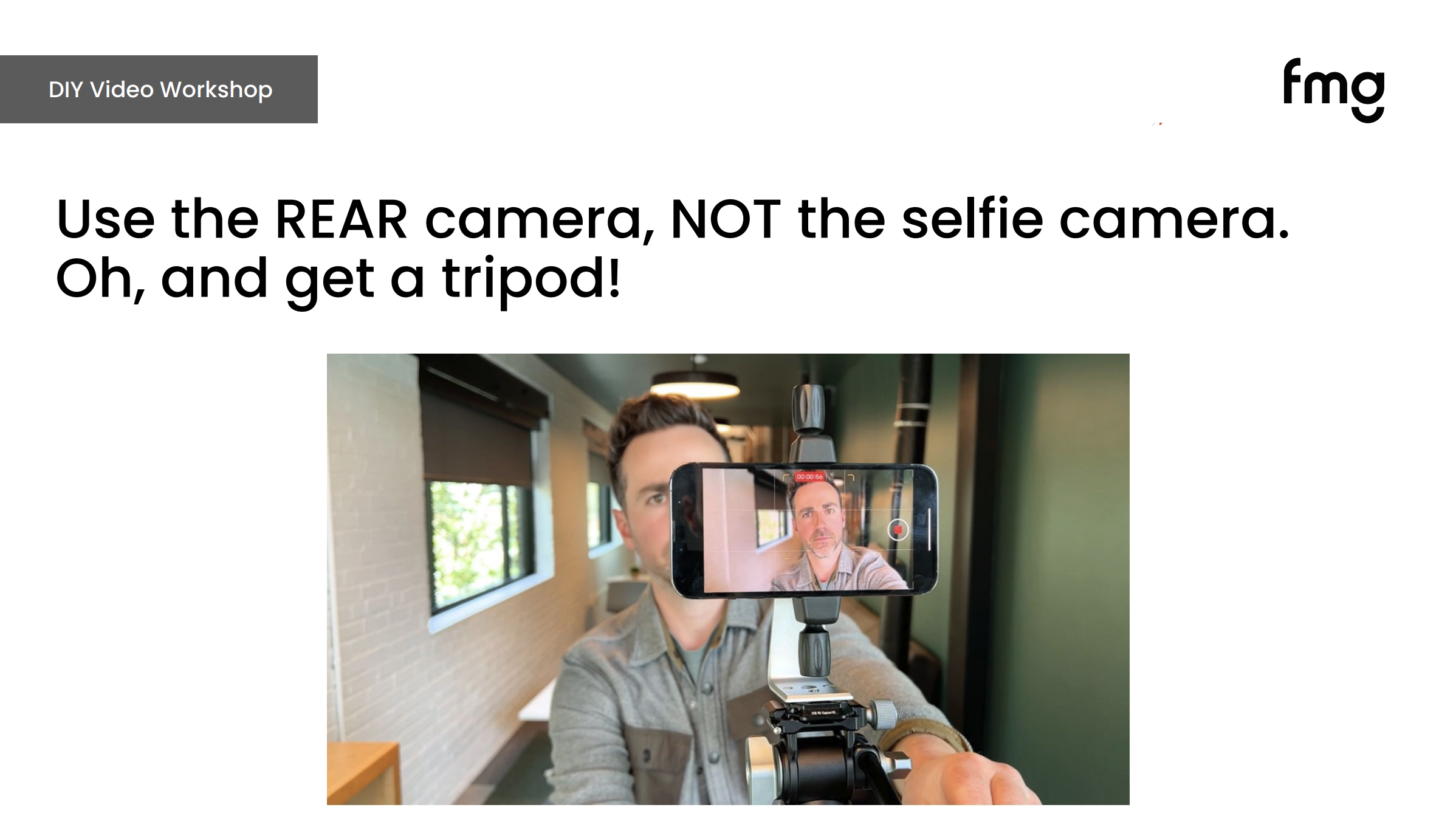
Use Your Phone’s Rear Camera
The rear camera is far higher quality than the front-facing selfie camera, no matter which phone you have. Snap your phone onto a tripod (a magnetic one makes this easy) and you’re ready to go.
Turn On the Grid to Frame Your Shot
Go to Settings > Camera and toggle the grid on. Then:
- Line your eyes up with the top grid line
- Keep your head centered between the two vertical lines
- If you plan to point to graphics on screen, shift yourself onto one of the vertical lines instead
Pro tip: Can’t see yourself while using the rear camera? Frame the shot once, with a helper or by walking back and forth to check. Then put a piece of tape on the floor where the tripod goes and another where you sit. Every future video starts in the right spot.
Use Natural Light
Skip the lighting kit to start. Sit facing a window so daylight falls on your face. Natural light beats artificial light almost every time. And don’t forget the easiest fix of all: turn up the brightness on your phone or laptop screen.
Adjust Your Camera Settings
Under Settings > Camera > Record Video:
- Choose 4K at 30 or 60 fps for the sharpest detail
- Turn HDR Video off (it makes editing easier later)
- Turn Enhanced Stabilization on to keep the frame steady
- Tap the screen to adjust exposure and focus
Never Text Your Video to Your Team
Texting or emailing a video compresses the file and degrades the quality you just worked to capture. Instead, AirDrop it or upload it to Dropbox, Google Drive or Wistia.
Recording On Your Computer Instead?
For horizontal videos, such as YouTube episodes, recorded webinars, website videos and email videos, a desktop tool often works better. Samantha’s favorite is VEED, which she finds especially beginner-friendly. Descript is a strong choice if you also produce podcasts or want more advanced, transcript-based editing.
Step 2: Use an Outline, Not a Script
Unless you’re a trained broadcaster, reading from a script almost never sounds natural. Samantha’s approach is simpler. She writes:
- Her hook (the first line)
- Two to four main takeaways
- Any visuals she wants to include
That’s it. She keeps the outline right behind the camera at eye level while she records.
“If you were sitting in front of a client, what are the four points you’d want to get across? You start with that,” said Samantha Russell.
You talk to clients about Social Security timing, tax planning and retirement income every day. You don’t need a script to explain what you already know.
The only lines worth memorizing are your opening and your closing. Samantha does the same thing before every keynote, because people remember the beginning and the end more than anything in the middle.
Pro tip: Need inspiration? Start with a blog post or article. FMG users can pull a topic from the Muse tool to draft an outline. Do It For Me advisors can also receive a video script or podcast or webinar outline as part of their monthly resources.
What About Compliance?
Every firm handles video review differently, so follow your firm’s compliance process and approved channels. If your compliance team needs to review before you record, give them an outline rather than a full script. Scripts almost always change once you’re on camera, which can mean a second round of review.
Another option, if your firm allows it: record first, then submit the transcript. Because you aren’t changing the substance of what you’re covering, approval is often smoother. Requirements vary by firm, so always check with your compliance team before you record or publish.
Step 3: Hook Viewers in the First Five Seconds
The first five seconds decide whether someone keeps watching or keeps scrolling. That’s where you’ll lose the most viewers, so that’s where to spend the most effort.
Don’t Open with Your Name
The most common mistake is starting with: “Hi, I’m [Name] with [Firm], and today we’re going to talk about…”
Viewers don’t care yet. They want to know what’s in it for them.
Compare these two openings:
The second version still establishes your expertise. It just leads with the problem the viewer is trying to solve.
Hook Ideas You Can Borrow
- I’ve helped 100 people retire. Here’s what most of them wish they’d done before retirement.
- Before you apply for Social Security, watch this.
- Scared about being bored in retirement? Try this.
- If you have RSUs, avoid a huge surprise tax bill with this tax planning strategy.
- If you have a net worth over $2 million, here’s what you need to know before you retire.
- If you’re under 45 and making $150,000 or more a year, you need to know this.
- Struggling with high tax bills? Watch this.
- The absolute worst advice about saving for retirement.
The strongest hooks tap into stories, surprising stats, common mistakes or the fear of missing something important. Niche-specific hooks, like the RSU example, do double duty. They grab attention and position you as the expert for that type of client.
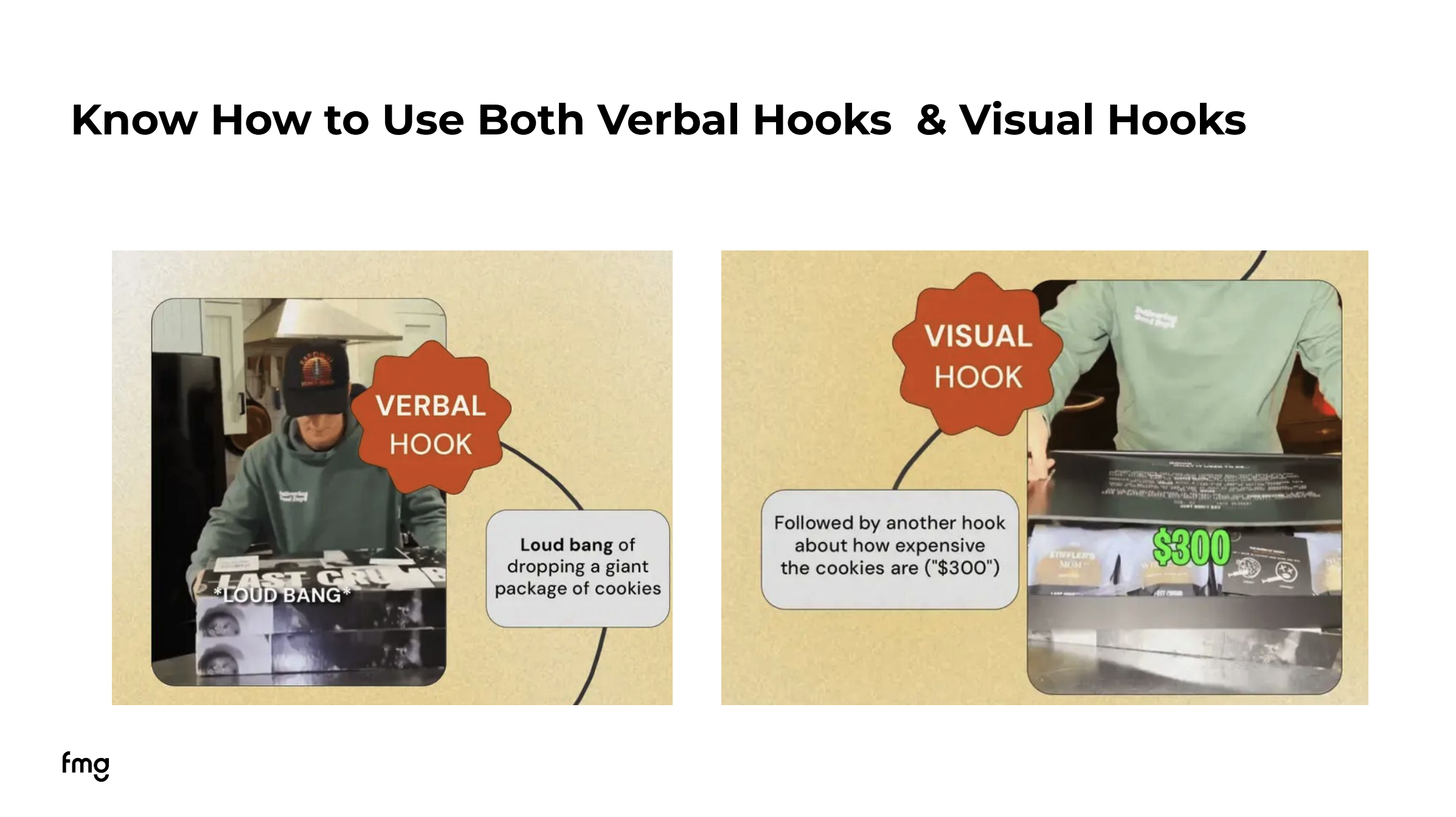
Combine Verbal and Visual Hooks
A verbal hook is what you say. A visual hook is what viewers see: walking into frame, opening a laptop to reveal something on screen or holding up a sheet of paper with a number on it. The videos that stop your thumb mid-scroll almost always combine the two.
Put It to the Test
During the webinar, Samantha asked attendees to pick the best hook for a video teaching parents to give kids a daily travel budget:
- A) Have you heard of the “Good Traveler Budget”?
- B) Would you pay your kids to have good behavior on a trip?
- C) I used to worry about how my kids would behave on flights, until I learned this one thing.
Most attendees chose C, and they were right. It names a real worry and creates curiosity about the “one thing,” so viewers keep watching to find out.
Pro tip: You’re not teaching a college course in 30 seconds. The goal is to earn attention and show expertise so people want to learn more on your blog, your website or in a meeting.
Step 4: Build Confidence on Camera
Even experienced presenters get camera nerves. These are the habits Samantha relies on:
- Shoot at eye level. Not looking up your nose, not looking down from above.
- Tape a photo of a friend behind the camera. Talking to a familiar face feels far more natural than talking to a lens.
- Stand up and make yourself big. Stretch before you record. Then remind yourself out loud: 99% of the people watching this don’t know what I know about this topic.
- Smile before you start talking. Hold it for a second. You’ll have a ready-made thumbnail instead of a mid-word freeze-frame.
- Don’t stop when you stumble. Editing tools can remove pauses and filler words with one click. Stopping breaks your flow, and a few natural pauses make you sound more human anyway.
- Talk like you’re explaining it to a friend. No “presenter voice” required.
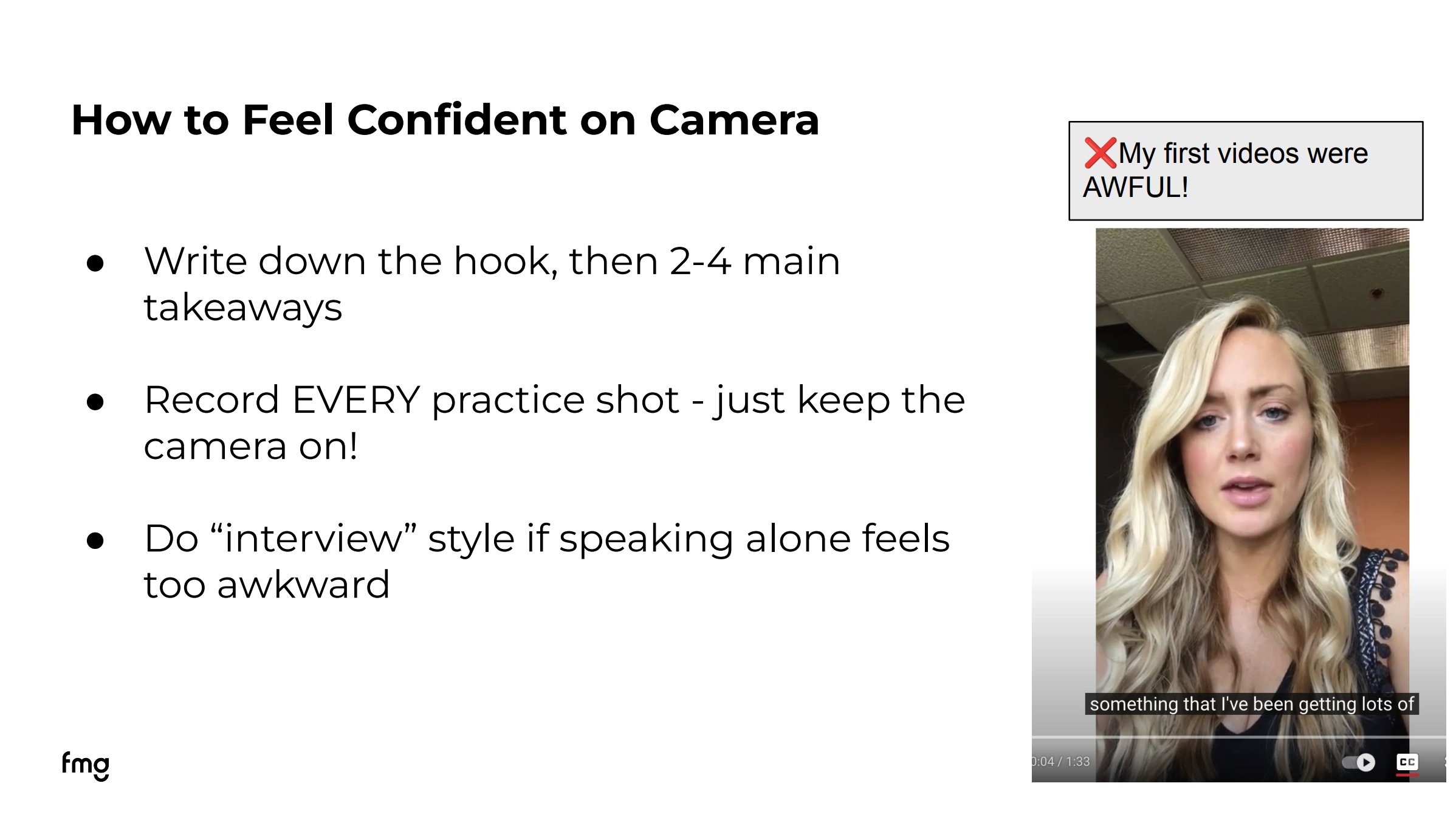
- Try interview style. If speaking solo feels awkward, have someone ask you questions off camera, then add the question as on-screen text.
Webinar attendees added a great one of their own: record one “decent” take, then a second carefree take with no pressure. The carefree take often turns out best.
And give yourself some grace.
“If you don’t look back at your first videos and cringe just a little bit, I hate to break it to you, you started too late,” said Samantha Russell.
Step 5: Keep Editing Simple
Editing can quickly turn into a time vampire. Here’s the minimum that makes a real difference:
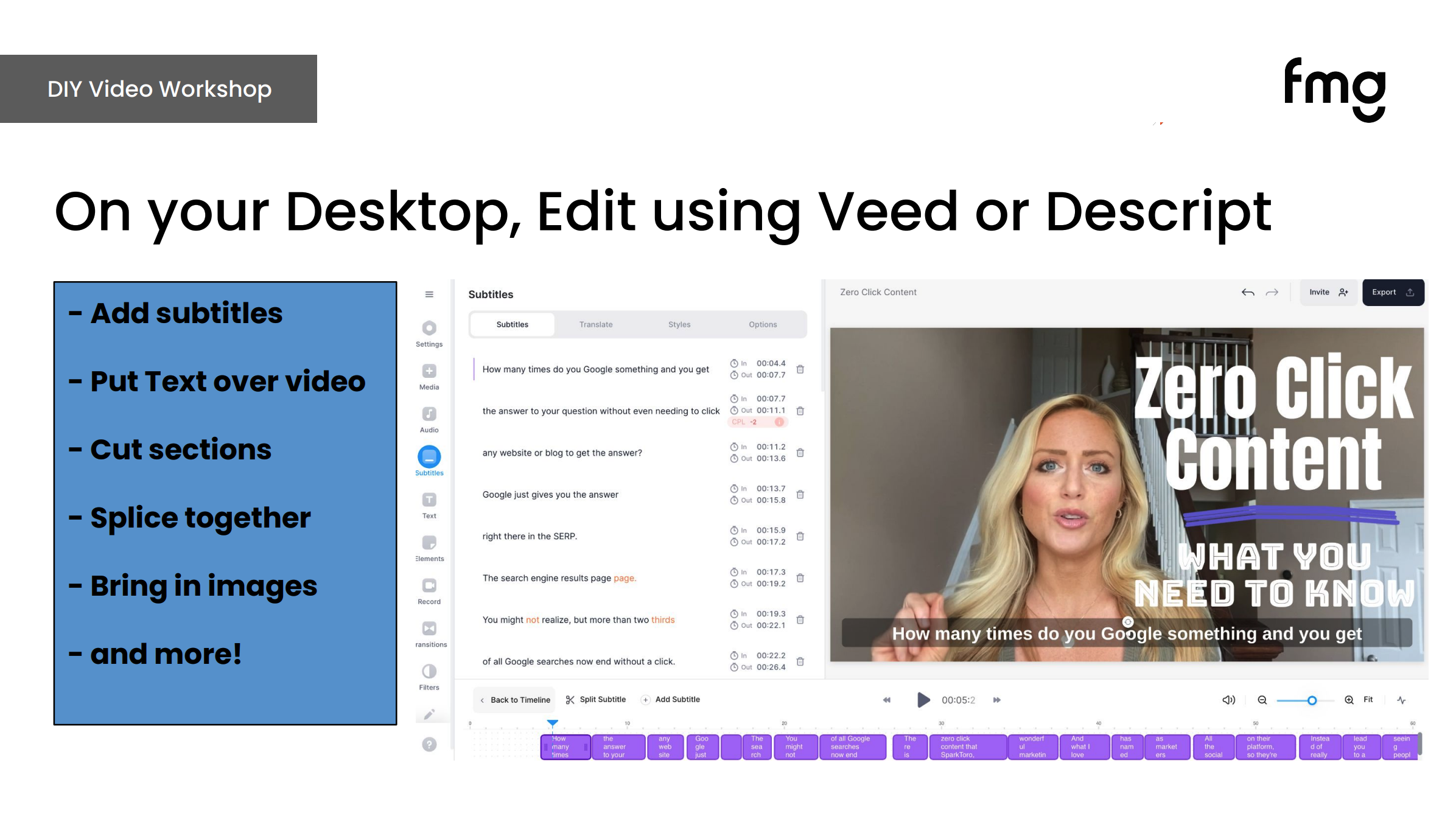
- Add subtitles. Many people watch with the sound off. If you do nothing else, do this.
- Add on-screen text that says what the video is about, so scrollers know before they press play.
- Cut dead air and obvious mistakes.
Recommended Tools:
- Desktop (horizontal video): VEED, Descript
- Phone (vertical video): CapCut, Instagram’s Edits app, Canva, iMovie, InShot
These three steps are also easy to hand off to an assistant or team member: add subtitles, add a text overlay, cut the dead air.
Pro tip: Upload your outline or finished video to an AI tool like ChatGPT or Claude and ask, “Where would viewers drop off?” It’s a quick way to spot slow sections worth trimming. Before you upload anything, check your firm’s AI policy, and never include client names, account details or other non-public information.
Remember the goal. You’re not trying to become an influencer or go viral. You’re trying to help the right prospects get to know, like and trust you.
Step 6: Promote Every Video Where People and AI Can Find It
Recording the video is only half the job. Here’s how to get the most mileage out of every one.
Putting “video” in your subject line can significantly boost click-through rates, and many people would rather watch than read. Use horizontal video for email.
In the FMG Suite email builder, you can upload a video directly and choose your thumbnail with a simple slider. The email builder hosts the video on a landing page on your own website, so you don’t need to post it to YouTube first. That’s ideal for client or prospect videos you’d rather not make public, and it keeps traffic on your site.
Your Website
This is the step most advisors miss, and it’s the one that matters most for AEO.
Always include the full transcript. AI tools and search engines can’t watch your video. If you publish a 10-minute video or a 30-minute webinar without a transcript, you get none of the AEO value from everything you said.
Give each video its own blog post:
- The video title as the post title
- A publish date and author
- The embedded video
- The full transcript below it
Running a series? Add “Series” and the episode number to the title, then link each new episode back to the previous one.
Social Media
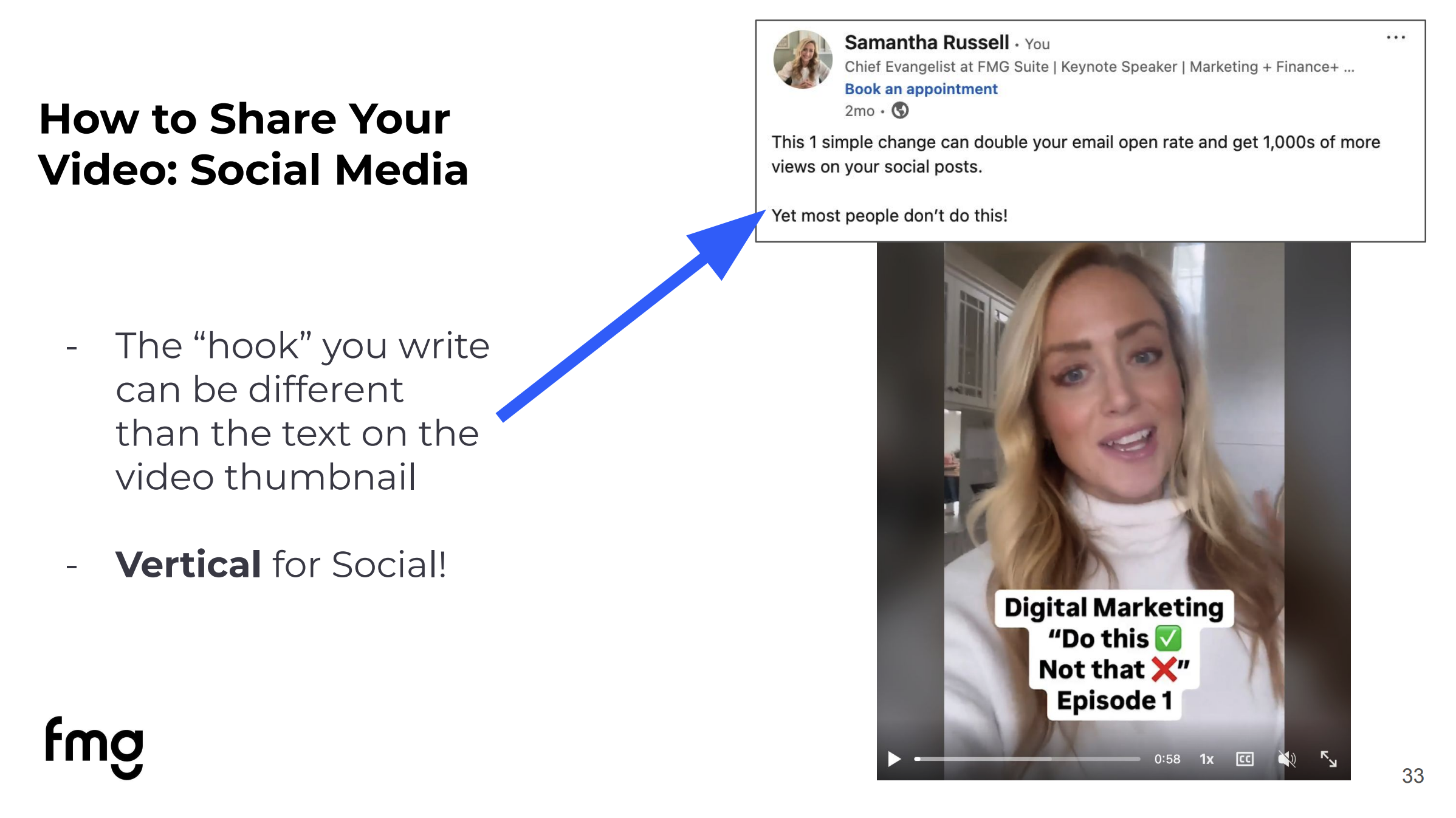
Your caption and your on-screen hook should be different. Two hooks give viewers two chances to stop scrolling. And don’t give the answer away in the caption. Make people watch to find out. Use vertical video for social.
YouTube
Use horizontal video for standard YouTube uploads and vertical video for YouTube Shorts. Already posting vertical videos on social? Post them to Shorts too. Tools like TubeBuddy can help you find the keywords people actually search for and write stronger titles and descriptions.
Post Reels to grow your audience and reach non-followers. Use Stories to stay connected with people who already follow you. Mixing talking-head videos with B-roll helps people see the person behind the business.
Start Before You Feel Ready
The advisors who win with video aren’t the ones with the best gear or the most polished delivery. They’re the ones who keep showing up. Set up your shot, write your hook, hit record, add subtitles and publish the transcript. Then do it again next month.
Your first video doesn’t need to be perfect. It just needs to exist.
Want Help Turning Video Into Growth?
The FMG Suite Do It For Me program takes the guesswork out of consistent marketing. Every month, Do It For Me advisors get:
- A done-for-you content calendar
- Resources that can include a video script or podcast or webinar outline
- AEO-optimized blogs added to your website for you
- Educational emails for clients, prospects and COIs
- Social posts scheduled on your behalf
- A dedicated Concierge to help make it yours
Plus, the FMG Suite email builder and website tools make it easy to host your videos, add transcripts and share them everywhere.
Learn more about the FMG Suite Do It For Me program.
Frequently Asked Questions
Do financial advisors need expensive equipment to make good videos?
No. A recent smartphone’s rear camera, a tripod and natural light from a window are enough to create professional-looking video. Turn on the grid to frame your shot and record in 4K.
How does video help financial advisors with AI search visibility?
YouTube is one of the top sources cited by AI tools like ChatGPT, Gemini and Copilot. Posting videos to YouTube, including Shorts, and publishing full transcripts on your website gives AI more of your expertise to find and cite.
Should financial advisors use a script for videos?
Usually not. An outline with your hook and two to four key points sounds more natural. Memorize only your opening and closing, since those are what viewers remember most.
How do financial advisors get video content through compliance?
Share an outline with compliance before recording or, if your firm allows it, record first and submit the transcript for review. Recording first often avoids a second round of edits. Requirements vary by firm, so check with your compliance team first.
What’s a good hook for a financial advisor video?
Lead with what the viewer will gain, not your name. For example: “Before you apply for Social Security, watch this,” or “I’ve helped 100 people retire. Here’s what most of them wish they’d done first.”
What’s the minimum editing a financial advisor video needs?
Add subtitles, add on-screen text that says what the video is about and cut dead air. Tools like VEED, Descript and CapCut make all three quick.
How do I get a transcript of my video?
YouTube generates one automatically when you upload. Editing tools like VEED and Descript can also create transcripts, as can AI tools like ChatGPT or Claude, as long as you follow your firm’s AI policy and don’t upload client or other non-public information.
Should financial advisor videos be vertical or horizontal?
Use horizontal video for YouTube, your website and email. Use vertical video for YouTube Shorts, Instagram, LinkedIn and other social platforms.


